
OE-C9914M20-S Quick Start Guide
OE-C9914M20-S Quick Start Guide Hard Copy
Click the link if you need to download the original hardcopy of the OE-C9914M20-S Quick Start Guide included with the boxed contents.
Box Contents
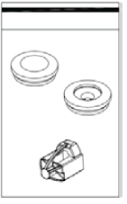
OE-C9914M20-S cameras come with a mounting accessory kit, grommets, mounting template, security torx tool, and camera cables. Identify the following components to make sure everything has been properly included with your new recorder. If any of the following items are missing, contact the dealer to arrange a replacement.
|
OE-C9914M20-S Multisensor Camera |
Mounting Accessory Kit and Desiccant |
|
Rubber Grommet Kit |
Mounting Template |
|
Security Torx Tool |
Camera Cables |




Connections
Camera Cables
| 1 |  |
| 2 | |
| 3 | |
| 4 |
| 1 | Power (24vDC) | Red | 24vDC + |
| White | GND - | ||
| 2 | Alarm I/O | Red | Alarm Out + |
| Purple | Alarm Out - | ||
| Orange | Alarm In + | ||
| Black | Alarm In - | ||
| 3 | Audio I/O | Red | Audio Out + |
| Black | Audio Out - | ||
| 4 | Audio I/O | Red | Audio In + |
| Black | Audio In - |
Default Username and Password
Assigning an IP Address
OpenEye IP cameras are set to DHCP by default. If a DHCP server is not detected after 2 minutes, the camera will default to IP address 192.168.51.2. If you are not using a DHCP server, NCM will allow you to batch configure a static IP address. The default IP address for the camera network on your recorder is 192.168.51.1.
Selecting multiple cameras and entering IP address 192.168.51.2 will set an IP address on all selected cameras, starting at 192.168.51.2 and increase per camera.
- Open the Network Camera Manager application.
- Select applicable camera(s).
- Input starting IP address, Subnet Mask, Gateway, DNS.
- Apply changes.
- Wait 60 seconds before refreshing NCM.
NOTE: See Network Camera Manager for more information.
Connecting to the IP Camera
To access the camera setup menu, you need to open Network Camera Manager (NCM) utility. NCM is pre-installed on all OpenEye Recorders and is also available for download on the OpenEye website for installation on your personal computer or laptop.
- Open Network Camera Manager.
- Locate your camera on the Network Camera Manager list.
- To open the web browser, select the camera and click LOAD.
Product Features
Camera
| Maximum Resolution | 2592 x 1944 |
| Frame Rate at Maximum Resolution | 30FPS @ 20MP x 4 channels | H.264 |
| Video Streams | Three per Sensor |
| Day / Night | True Day / Night with IR-Cut Filter |
| Wide Dynamic Range | True WDR |
Environmental and Power
| Power Consumption | Max 25W |
| Input Voltage | 24vDC / PoE + |
| Operating Environment |
-40°F ~ 131°F (-40°C ~ 55°C) (IR OFF) -40°F ~ 122°F (-40°C ~ 50°C) (IR ON) |
| Ingress Protection | IP66 |
| Impact Rating | IK10 |