OE-CC3022T5 Hardware Manual - Features and Contents
Important Safeguards
View Important Safeguards before installing the camera.
Warranty
View the Product Warranty for the camera.
Camera Dimensions

Connections

| # | Name | Description |
| 1 | Reset Button | To restore the camera to factory defaults |
| 2 | microSD Card Slot | Insert microSD card to store videos and snapshots |
Power and RJ45 Connections

| # | Name | Description |
| 1 | Power (12VDC) | Power Connection: 1-1: 12VDC+ 1-2: GND- |
| 2 | RJ45 | For network and PoE connections |
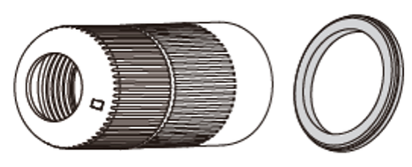
Waterproof Cable

| # | Name |
| 1 | Thread Lock Cap |
| 2 | Rubber Plug |
| 3 | RJ45 Enclosure |
| 4 | Rubber O Ring |
| 5 | Camera Cable |
Reset Button
The reset button performs one of three actions depending on how long it is held:
Reboot: Hold reset button for 5 seconds to reboot.
- Status LEDs will be solid red during the reboot.
Partial Reset: This option will retain Web Services account information and Network Settings while reverting all other settings to factory defaults.
- Hold reset button for 20 seconds to complete a Partial Reset.
- Status LEDs rapidly flash red and green when the camera is being reset to factory defaults.
Full Factory Reset: This option will reset the camera to factory defaults and format the internal storage.
- Hold reset button for 30 seconds to reset camera to factory defaults.
- Status LEDs rapidly flash red when the camera is being reset to factory defaults.
Power Connection
PoE+ is the recommended power source for this device. A 12vDC power source can be used if necessary.
NOTE: Only one power source should be used at any time.
NOTE: For PoE, use only a UL Listed I.T.E. PoE PSE with output evaluated as LPS/PS2.
REMARQUE: Pour le PoE, utilisez uniquement une source d’alimentation PoE I.T.E. homologuée UL, avec une sortie évaluée comme LPS/PS2.
Installation
To prepare the camera for wall or ceiling installation with accessories, see instructions on the Quick Installation Guide.
Features
- 5MP 2.8mm Fixed Lens
- Onboard Recording
- Advanced Analytic Capabilities
- Automated Updates
- High Dynamic Range (HDR)
- Adaptive IR | Up to 98'
- IK10 Impact Rating
- IP67 Ingress Rating
- Active Deterrence
- NDAA Compliant
Box Contents
OE-CC3022T5 cameras come with a mounting template, desiccant pack, adapter plate, screws, screw anchor mounts, torx tool, and waterproofing kit. Identify the following components to make sure everything has been properly included with your new camera. If any of the following items are missing, contact the dealer to arrange a replacement.
|
Turret Camera |
Mounting Template |
|
Desiccant Pack |
Adapter Plate |
|
x3 Philips 1-3/8" 35mm Screw |
Screw Anchor Mounts |
|
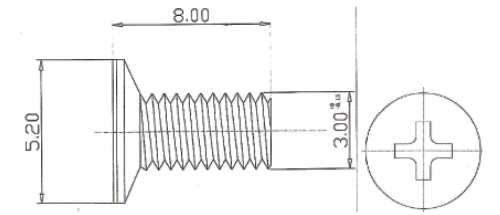
x3 Philips M3 x 8mm |
x3 Philips M4 Head, M3 x 8mm |
|
x4 Philips #6-32, 1" |
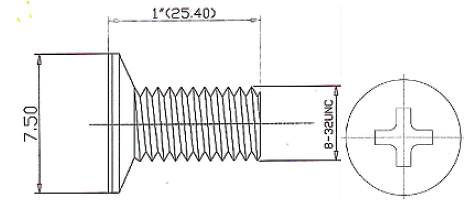
x4 Philips #8-32, 1" |
|
T10 Torx Tool |
Waterproof Cable Connector |