OE-C9914M20-S Hardware Manual - Features and Contents
OE-C9914M20-S Hardware Manual - Features and Contents
Important Safeguards
View Important Safeguards before installing the camera.
Warranty
View the Product Warranty for the camera.
Camera Dimensions

Connections
Camera Cables
| 1 |  |
| 2 | |
| 3 | |
| 4 |
| 1 | Power (24vDC) | Red | 24vDC + |
| White | GND - | ||
| 2 | Alarm I/O | Red | Alarm Out + |
| Purple | Alarm Out - | ||
| Orange | Alarm In + | ||
| Black | Alarm In - | ||
| 3 | Audio I/O | Red | Audio Out + |
| Black | Audio Out - | ||
| 4 | Audio I/O | Red | Audio In + |
| Black | Audio In - |
Alarm Connections

| NOTE: An external power source is required for alarm in and alarm out. | |
| Alarm In | 3.0 VDC Max, 20mA Max |
| Alarm Out | 30 VAC/VDC Max, 100 mA Max |
Camera Connections

| RJ-45 | For network and PoE connections |
| Power (24vDC, 24vAC) | Power Connection |
| Alarm I/O | Alarm Connection |
| Audio In | Audio In |
| Audio Out | Audio Out |
| MicroSD Card Slots (2) |
Supports up to 1.5TB microSD card for Edge storage. Do not or remove the microSD card when the camera is powered on. |
| Reset Button |
Press and hold the reset button for 3 seconds to restore all settings to default, excluding network and credentials. Press and hold the reset button for 6 seconds to restore the camera to factory default state. |
Power Connection
For an adequate power connection, use a 12vDC or 24vAC adaptor. Alternatively, you can power the camera by PoE+, or if a Power Sourcing Equipment (PSE) switch is available.
NOTE: OpenEye recommends against using more than one power source at a time.
Installation
To prepare the camera for wall of ceiling installation with accessories, see instructions on the Quick Installation Guide.
Features
OE-C9914M20-S cameras include the following features:
- 4x 5MP 1/2.8" VF, AF, Motorized Zoom Lens
- 360° Coverage
- Easy Single Cable Installation
- True WDR
- Integrated IR LEDs | Up to 131'
- IK10 Impact Rating
- IP66 Ingress Rating
- Smart Compression
- Alarm and audio I/O
- 3/4" conduit connection
- Compatible with 4-inch electrical box
- NDAA Compliant
Box Contents
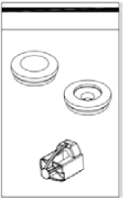
OE-C9914M20-S cameras come with a mounting accessory kit, grommets, mounting template, security torx tool, and camera cables. Identify the following components to make sure everything has been properly included with your new recorder. If any of the following items are missing, contact the dealer to arrange a replacement.
|
OE-C9914M20-S Multisensor Camera |
Mounting Accessory Kit and Desiccant |
|
Rubber Grommet Kit |
Mounting Template |
|
Security Torx Tool |
Camera Cables |